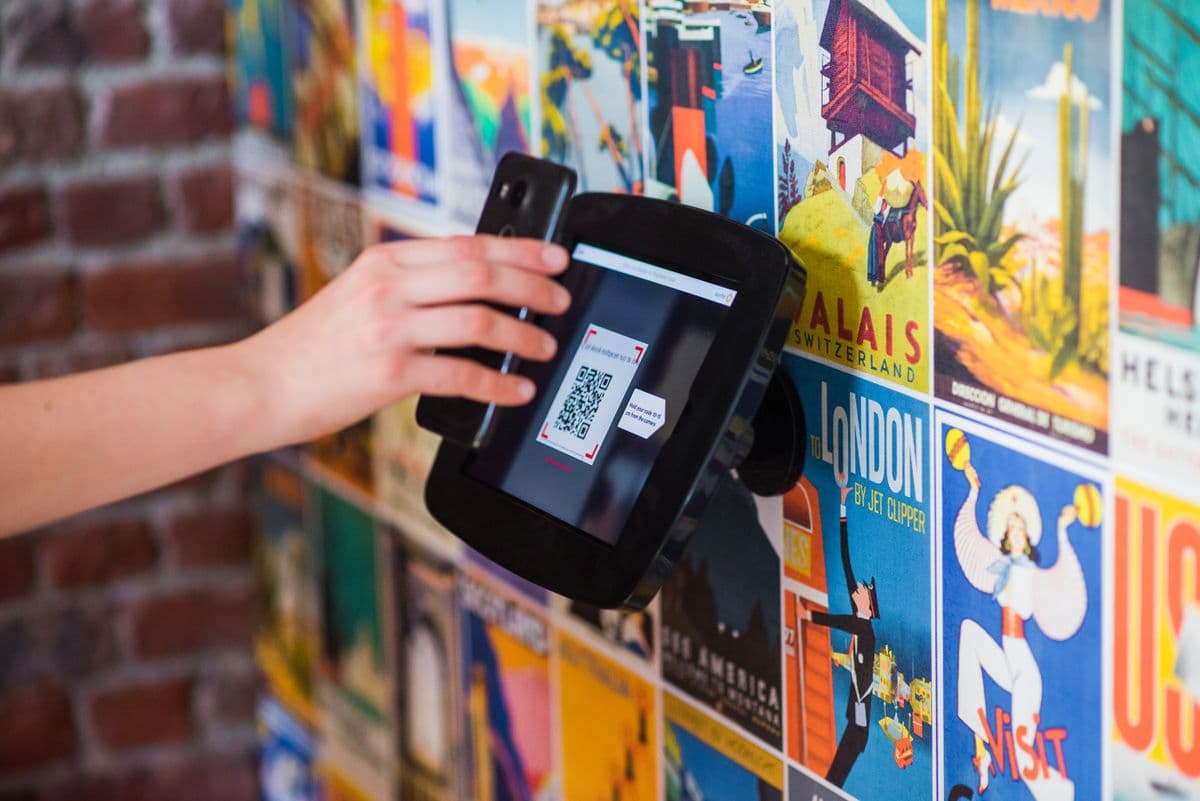
Most QR codes get ignored. Not because QR codes don't work — they do — but because the execution is wrong. Size, placement, contrast, and context all affect whether someone pulls out their phone and scans. Get these seven things right and you'll see a measurable difference.
This guide goes deeper than the usual checklist: for each rule you'll get the reasoning, the specific numbers to follow, and the failure mode we see most often in the wild. At the end, a printable pre-flight checklist covers everything to verify before any print run.
Don't have a code yet? Grab one first from QRPulse's QR code generator — it takes under a minute — then come back and run it through the rules below before you print.
Key takeaways
- Follow the 10:1 rule — the code should be at least one-tenth of the expected scanning distance.
- Contrast and quiet zone are the two invisible killers of scan reliability.
- A call-to-action next to the code roughly doubles scan rates.
- Test with at least three phones before printing at scale — every reprint you avoid pays for the discipline.
- Dynamic codes are the safety net: they let you fix any mistake after printing.
These rules are cheap to follow and expensive to ignore. Every one costs minutes at design time — but every violation costs a percentage of all future scans for the life of the print run. Work through them in order: they're sequenced by how often each one silently kills real-world campaigns.
1. Make it big enough to scan from a distance
The minimum print size for a QR code is roughly 2cm × 2cm (about 0.8in) for close-range scanning — a product label someone holds. For anything further away — a poster, a shop window, a display stand — scale up proportionally using the 10:1 rule: the code should be at least 10% of the expected scanning distance.
| Placement | Typical scan distance | Minimum code size |
|---|---|---|
| Product label, business card | 20–25 cm | 2 × 2 cm |
| Table tent, counter card | 50 cm | 5 × 5 cm |
| Wall poster | 1–2 m | 10–20 cm |
| Shop window | 2–3 m | 20–30 cm |
| Banner / trade-show backdrop | 3–5 m | 30–50 cm |
A common mistake is treating QR codes like logos and making them "tastefully small". A code nobody can scan from where they're standing is pure decoration. When in doubt, size up — a too-large code costs nothing; a too-small one costs every scan it didn't get.
2. Download at the highest resolution you need
Always download your QR code at the resolution matching your print output. QRPulse lets you download at 512px, 1024px, or 2048px PNG — or as SVG, which scales to any size with zero quality loss. For large format print (posters, banners), use 2048px minimum or SVG. A pixelated QR code won't scan reliably: blurred module edges are exactly what the decoding algorithm struggles with.
Rule of thumb for print: aim for at least 300 DPI at final printed size. A 2048px PNG holds 300 DPI up to roughly 17 cm square; anything larger should be SVG. If you hand files to a print shop, send SVG and let them rasterise — it removes one entire failure mode.
3. Keep strong contrast — and dark-on-light
QR scanners work by detecting the contrast between the dark modules and the light background. The darker the code on a lighter background, the more reliably it scans. Avoid:
- Light-coloured codes on white or cream backgrounds
- QR codes placed over busy photographs or gradients
- Very thin colour differences (e.g. dark grey on black)
- Inverted codes (light modules on dark background) — many scanner apps fail on these entirely
Brand colours are fine within limits: a dark navy or deep brand colour on white scans essentially as well as black. The safe threshold is roughly 40% contrast difference between module and background. If you use custom colours (a Pro feature in QRPulse's logo QR generator), test with at least three different phone cameras before printing at scale — older Android cameras are the strictest judges.
4. Always include a call-to-action
A bare QR code gives the person no reason to scan it. Codes with a short instruction next to or below them get roughly twice the scans of unlabelled codes. Good examples:
- "Scan to view our menu"
- "Scan for 10% off your first order"
- "Scan to follow us on Instagram"
- "Scan for assembly instructions"
Two rules for the CTA itself. First, lead with the benefit, not the mechanism — "See tonight's specials" beats "Scan this QR code". Second, the CTA must match the destination. If someone scans "View our menu" and lands on a homepage, they'll bounce immediately — and they won't scan your codes again. That trust, once spent, is hard to win back.
5. Give the code breathing room (the quiet zone)
QR codes have a built-in "quiet zone" — a clear border around the code that scanning algorithms need to detect the edges. If your design clips this border or places busy design elements too close to the code, scan reliability drops. Keep at least 4 modules (the small squares in the pattern) of clear space on all sides — in practice, roughly 10% of the code's width as empty margin.
This is the rule designers break most, because whitespace around the code looks "wasted" in a dense layout. It isn't. The quiet zone is functionally part of the code — cropping it is the same as deleting pattern data.
6. Test before you print — properly
This sounds obvious but gets skipped constantly. Before any print run, run this test matrix:
- Devices: iPhone Camera app, Android Google Lens, plus one older/budget phone
- Conditions: normal light, dim light, and through glass or lamination if that's the final placement
- Distance: from the actual distance a real user will stand
- Destination: loads correctly, looks right on mobile, URL is the final one — not a staging link
- Print proof: scan the printer's proof, not just your screen — colour shifts and paper texture change scanning behaviour
Reprinting 10,000 flyers because of a typo in the URL is an expensive lesson. The test matrix takes fifteen minutes.
7. Use dynamic codes so you can fix mistakes
Even with testing, things change. The URL might move. The campaign might pivot. The offer might expire. With a dynamic QR code, you can update the destination any time — the printed code stays valid forever. A static code that points to a dead URL is just wasted print space.
Dynamic codes add two more advantages this list has already leaned on: analytics (every rule above becomes measurable — you can literally see scan rates improve when you fix contrast or add a CTA) and shorter encoded URLs, which produce cleaner, lower-density patterns that scan more reliably at small sizes than a long static URL ever can.
Bonus: mistakes we see most in the wild
- QR code on a website or email. The user is already on a screen — use a link. QR codes are for bridging physical to digital.
- Code placed too high or too low. Eye-to-waist height scans best; codes at floor level or above head height get ignored.
- Glossy lamination glare. Matte finishes scan better under spotlights and sunlight.
- Logo overlay too large. Error correction tolerates up to ~30% coverage, but stay under 20% for reliable scanning.
- UTM-stuffed static URLs. Long URLs create dense patterns. Encode a short dynamic link instead; keep the tracking parameters server-side.
- No fallback. Include a short human-readable URL under the code for the minority who can't or won't scan.
Placement psychology: where people actually scan
Even a perfectly produced code fails in the wrong physical context. Three factors decide whether someone scans:
- Dwell time. People scan where they wait — tables, queues, counters, transit stops. A code on a busy walkway gets passed; the same code at the bus shelter beside it gets scanned. Match placements to moments when phones are already out and hands are free.
- Permission. Scanning is a small social act. In a quiet restaurant it feels natural; mid-conversation at a service desk it feels awkward. Codes positioned for private moments (receipts, packaging, seat-backs) outperform codes that require scanning in front of staff.
- Payoff clarity. The scan is a trade: three seconds of effort for a promised value. The clearer and more immediate the promised payoff, the higher the rate — which is why "Scan for 10% off" reliably beats "Learn more".
If a well-produced code underperforms, audit the moment before auditing the design: who is standing there, for how long, with what in their hands?
Pre-flight checklist
Run this before every print run:
- Code sized to the 10:1 distance rule for its placement
- 2048px PNG or SVG at 300+ DPI for final print size
- Dark modules on light background, 40%+ contrast, not inverted
- Quiet zone: 4+ modules clear on all sides
- CTA text next to the code, matching the destination
- Tested on 3+ phones, in final lighting, at real distance, from the print proof
- Destination URL is final, mobile-optimised, and loads fast
- Code is dynamic — so any of the above can still be fixed after printing
One rule to remember above all
If you take a single thing from this list: test the printed proof, at the real distance, with three phones. Every failure mode above — size, contrast, quiet zone, resolution, glare — is caught by that one fifteen-minute ritual, and none of them are reliably caught on a screen. The second thing: make the code dynamic. The one failure the test can't catch is the future — and a dynamic destination is the only fix that works after the ink is dry. Everything else on this list optimises scan rates; those two protect you from zero.
Frequently asked questions
What is the minimum size for a printed QR code?+
About 2×2 cm (0.8×0.8 in) for close-range scanning like product labels. For longer distances, follow the 10:1 rule: the code should be at least one-tenth of the expected scanning distance — a code scanned from 1 metre away should be at least 10 cm wide.
Why is my QR code not scanning?+
The most common causes, in order: too small for the scanning distance, low contrast or an inverted colour scheme, a clipped quiet zone (the clear margin around the code), pixelated print from a low-resolution file, glare from glossy lamination, or a damaged/faded print. Test with multiple phones to isolate the cause.
Can QR codes be printed in colour?+
Yes, within limits. Keep dark modules on a light background with at least 40% contrast difference, and never invert (light code on dark background) — many scanners fail on inverted codes. Dark navy, deep green, or brand colours on white scan essentially as well as black.
How much does a call-to-action increase QR scan rates?+
Codes with a short CTA like "Scan to view menu" get roughly twice the scans of bare codes. Lead with the benefit rather than the mechanism, and make sure the destination matches the promise — a mismatch destroys trust in all your codes.
What resolution should a QR code be for printing?+
Aim for 300 DPI at the final printed size. A 2048px PNG covers up to roughly 17 cm square; for anything larger, use SVG, which scales infinitely without quality loss. Pixelated module edges are a leading cause of scan failures.
How much of a QR code can a logo cover?+
QR error correction can tolerate up to about 30% damage, but for reliable real-world scanning keep logo coverage under 20% of the code area, centred. Always test a logo-branded code on multiple phones before printing at scale.
Should I use a static or dynamic QR code for print?+
Dynamic, almost always. It lets you fix URL mistakes after printing, redirect when campaigns change, and track scans. It also encodes a short URL, producing a cleaner, less dense pattern that scans more reliably at small sizes than long static URLs.
Continue reading
Case Study: How a 3-Location Restaurant Cut Menu Reprint Costs by 100%
A Mumbai restaurant group switched from static to dynamic QR codes and hasn't reprinted a menu insert since. Here's what their scan data revealed.
Using WhatsApp QR Codes to Instantly Connect Customers With Support
Print a QR code that opens a pre-filled WhatsApp chat. No typing, no searching — just one scan and the customer is talking to your team.
How Restaurants Use QR Code Analytics to Boost Menu Engagement
From tracking peak scan times to identifying which tables engage most, restaurant owners are using QR analytics to make smarter decisions about their digital menus.
Enjoying these guides?
Add QRPulse as a preferred source on Google and our guides will be highlighted in your search results and AI Overviews.
Set QRPulse as a preferred sourceOpens Google settings — search for “qrpulse” and tick the checkbox. Takes 10 seconds.