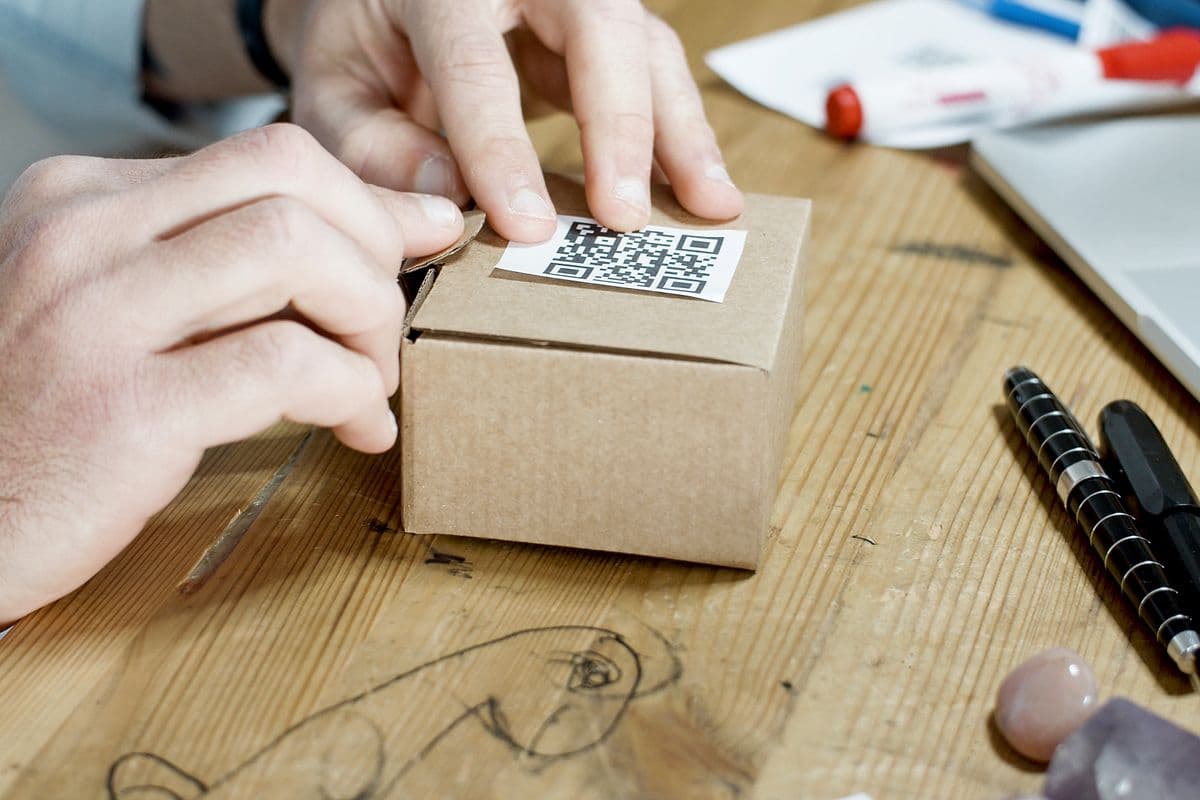
Pick up almost any product today and flip it over. There's a decent chance you'll find a QR code — and a decent chance it's already a dead end. Someone printed a static link, the campaign it pointed to ended eight months ago, and nobody's touched it since.
That's the gap. The moment someone picks up your product, they're giving you their full, undivided attention. A QR code is the most direct way to do something with that — but only if it still works.
This guide covers packaging QR codes done right: what to link to at each lifecycle stage, per-SKU tracking, placement and print specs, and the metrics that turn packaging into a measurable channel.
Key takeaways
- Packaging runs outlive campaigns — a static QR code printed in October is pointing at a dead page by March. Always dynamic.
- One code per SKU (and ideally per batch) turns packaging into a per-product analytics stream.
- Every packaging scan is post-purchase and high-intent: reviews, warranty sign-ups, and loyalty convert far better here than from ads.
- Scan timing reveals the shape of your unboxing moment — and where the customer journey actually continues.
- The industry is moving to QR on packaging anyway (GS1 Digital Link, EU digital product passports) — brands that adopt early get the data advantage.
Packaging deserves its own playbook, not generic QR advice. No other placement combines a guaranteed buyer, a private moment, and a print run you can't recall. The stakes are higher — and so is the opportunity.
Why do static QR codes fail on packaging?
Because packaging outlives everything it links to. Runs happen months in advance. The URL you print in October might point to a campaign that ends in December — but the product keeps selling through March. A static code can't catch up. It just leads to a dead page, or worse, an outdated promotion.
With a dynamic QR code, you update the destination from your dashboard. The printed packaging never changes. The experience your customer sees does. Add the second failure of static codes — zero analytics — and the choice isn't close: on packaging, static codes are printed liabilities.
What should a packaging QR code link to?
The best destination depends on your product and lifecycle stage — and with a dynamic code, it can change over time. The strongest options:
- How-to video — show customers how to use your product at its best; reduces returns and support tickets
- Recipe or usage inspiration — especially for food, beverage, and beauty products
- Warranty registration — capture buyer data directly from the unboxing moment
- Review collection — redirect to your Google, Trustpilot, or Amazon review page
- Loyalty programme sign-up — convert buyers into repeat customers immediately
- Product story / sustainability page — a growing consumer expectation, especially under 35
- Reorder page — for consumables, the shortest path from "almost empty" to repeat purchase
- Seasonal campaign landing page — change for Christmas, summer, back-to-school without touching the box
Match the destination to the product lifecycle
| Stage | Customer question | Best QR destination |
|---|---|---|
| Unboxing (day 0) | "How do I use this?" | Setup / how-to video |
| First week | "Am I doing this right?" | Tips, recipes, usage content |
| Established use | "I like this" | Review request, loyalty sign-up |
| Running low | "Need more" | Reorder / subscription page |
| Problem occurs | "This isn't working" | Support / WhatsApp chat |
You can't print five codes for five moments — but with a dynamic code you can sequence the destination over the product's shelf life, or land on a simple hub page offering the two or three most likely actions. The scan-timing data tells you which moment dominates for your product, so the default destination matches reality.
What does packaging scan data tell you?
A QR code on packaging produces some of the most valuable scan data available. Every scan represents a customer who bought your product and chose to engage further. That is a high-intent action — and the analytics read like a post-purchase behaviour study you didn't have to commission.
From your QRPulse dashboard, you can see:
- Which SKU or packaging variant drives the most scans — your per-product engagement league table
- Where buyers are located — city-level geography that marketplace sellers otherwise never see
- When they scan — right after purchase? Days later? This is the shape of your customer journey
- Device split — optimise the landing page for your actual buyer demographic
- Repeat scans — customers coming back to the code signal reorder intent or unresolved questions
The benchmark to track is scans per unit sold. Packaging QR engagement typically runs 5–15% of units — dramatically higher than the 1–4% of cold print distribution, because the audience already bought. Track it per SKU per quarter and packaging design gets a KPI, the same way ads have CTR.
How to set up packaging QR codes the right way
- Use a dynamic QR code. Never print a static QR code on packaging. The run will outlive whatever URL you put in it.
- Create one QR code per SKU, not one for the whole brand. Per-SKU data reveals which products drive post-purchase engagement. For recalls and freshness-sensitive goods, per-batch codes add traceability.
- Place it where the customer naturally looks — back label, insert card, or inside the lid. Keep it away from the barcode, which customers read as logistics, not invitation.
- Print at least 2×2 cm with strong contrast and a clear quiet zone — kraft board and dark packaging need testing with multiple phones before the run.
- Add a call-to-action near the code. “Scan for a recipe” or “Scan to register your warranty” increases scan rates significantly — codes with CTAs get roughly double the engagement.
- Test the printer's proof, not your screen. Ink spread and material texture change scan behaviour; fifteen minutes of testing protects the whole run.
A useful habit once the data flows: review the per-SKU scan numbers alongside your sales dashboard monthly. Divergences are informative in both directions — high sales with low scans means the code or CTA isn't earning attention; low sales with high scans means the product page is doing discovery work your distribution isn't.
The regulatory tailwind: QR on packaging is becoming standard
Two industry shifts make packaging QR codes inevitable, not optional. GS1's "Sunrise 2027" initiative is moving retail barcodes to QR-style 2D codes that carry both checkout data and consumer links. The EU's Digital Product Passport rules will require scannable product data — materials, repairability, recycling — across more categories every year.
The practical takeaway: your packaging will carry a QR code eventually, by standard or by regulation. Brands that adopt now — with dynamic, tracked codes — get years of engagement data and an owned post-purchase channel before it becomes table stakes.
Print production specs that survive real packaging
Packaging is a harsher print environment than paper flyers — curved surfaces, textured stock, foil, shrink-wrap, and warehouse handling all degrade scannability. Specs that hold up in production:
- Size: 2×2 cm absolute minimum on flat surfaces; go 2.5–3 cm on curved bottles and jars, and avoid wrapping the code around a curve tighter than a 5 cm radius — distortion breaks decoding.
- Contrast: dark code on light background, minimum 40% contrast. On kraft board, print the code inside a white box rather than directly on the brown stock.
- Finish: matte beats gloss — glossy varnish and foil create glare under retail lighting that defeats cameras. If the packaging is gloss-laminated, knock the varnish out over the code area.
- File format: hand your packaging designer the SVG, not a PNG — packaging print runs at high resolution and raster codes soften at the edges.
- Error correction: use a high level (QRPulse defaults appropriately) so scuffs from shipping and shelf wear don't kill the code — QR tolerates up to ~30% damage.
- Proof testing: scan the actual printed proof on the actual material, under retail-style lighting, with at least three phones — never approve from a screen PDF.
One production run of unscannable codes wastes the entire channel for months — the fifteen minutes of proof testing is the cheapest insurance in packaging.
Common packaging QR mistakes
Buyers of QR tools complain about the same handful of things over and over — features that quietly require an upgrade, codes that lock you in, support that sends a canned article instead of an answer. Packaging mistakes follow the same pattern: small decisions made once, at the print stage, that you can't walk back for months.
- Static code, long-life packaging — the #1 error, and it's unfixable after printing
- One code across all SKUs — erases the per-product signal that makes the data useful
- Linking to the homepage — a generic destination wastes the highest-intent scan you'll ever get; land on something specific to the product in hand
- CTA/destination mismatch — "scan for instructions" must not land on a promo page; trust spent once is gone
- Ignoring the scan-timing data — it tells you when customers actually engage; most brands guess wrong about their own unboxing moment
Getting started: the one-SKU pilot
You don't need to re-run every packaging line to start. Pick one SKU — ideally your best-seller, for fast data — and add a dynamic code to its next print run with a single clear CTA matched to that product's most likely customer question. Insert cards work as a zero-risk pilot too: no packaging artwork changes, just a printed card in the box.
After one quarter you'll have your baseline scans-per-unit, the timing curve of your unboxing moment, and buyer geography. That data decides the rollout: which destination to default to, which placement earned the artwork change, and whether per-batch codes are worth it for your category. The pilot costs a code (free) and a card (cents) — the alternative is designing your packaging QR strategy from guesses.
Ready to add trackable QR codes to your packaging? Start free on QRPulse — 2 dynamic QR codes forever at no cost.
Turn packaging into a channel
Per-SKU dynamic QR codes with full scan analytics. Free to start.
Create Your Packaging QR CodeFrequently asked questions
Should product packaging use static or dynamic QR codes?+
Dynamic, always. Packaging runs outlive campaigns — a static code printed months in advance ends up pointing at dead or outdated pages, and provides zero analytics. A dynamic code lets you update the destination for the life of the packaging and logs every scan.
What should a QR code on packaging link to?+
Something specific to the product in hand: a how-to video, recipe content, warranty registration, review collection, loyalty sign-up, or a reorder page. With a dynamic code you can sequence destinations over the product lifecycle — setup content at launch, review requests later, seasonal campaigns as needed.
Should each product SKU have its own QR code?+
Yes. Per-SKU codes turn packaging into a per-product analytics stream — you see which products drive post-purchase engagement, which packaging designs get scanned, and where each product's buyers are located. For recall-sensitive goods, per-batch codes add traceability.
What scan rate should packaging QR codes get?+
Typically 5–15% of units sold — far higher than cold print distribution (1–4%) because the scanner already purchased. Track scans-per-unit-sold per SKU as your packaging engagement KPI; insert cards and inside-lid placements usually outperform exterior labels.
Where is the best place to print a QR code on packaging?+
Where the customer naturally looks while using the product: the back label, an insert card, or inside the lid. Keep it at least 2×2 cm, high-contrast, away from the barcode (which reads as logistics), and pair it with a specific call-to-action like "Scan for recipes".
What are GS1 2D codes and digital product passports?+
GS1's Sunrise 2027 initiative migrates retail barcodes to QR-style 2D codes carrying both checkout and consumer information, and EU Digital Product Passport rules will require scannable product-level data in more and more categories. Packaging QR codes are becoming standard — early adopters gain years of engagement data first.
Can a packaging QR code drive repeat purchases?+
Yes — for consumables it is one of the shortest reorder paths available: the customer holding a nearly-empty product scans and lands on a reorder or subscription page. Repeat-scan data also signals reorder intent, telling you when in the product's life customers come back to the code.
Continue reading
QR Code Expiry Dates: When and How to Use Them
Not all QR codes should live forever. Expiry dates let you control exactly when a code stops working and where it redirects next — essential for campaigns and events.
How Event Organisers Use Dynamic QR Codes (With Real Examples)
From badges to session signage to post-event resource pages, dynamic QR codes let event organisers update information mid-event and track every attendee interaction.
QR Code Statistics 2026: Usage, Scan Rates & Business Impact
From restaurant adoption to marketing ROI to global scan volumes, here are the most important QR code statistics for 2026 — and what they mean for your business.
Enjoying these guides?
Add QRPulse as a preferred source on Google and our guides will be highlighted in your search results and AI Overviews.
Set QRPulse as a preferred sourceOpens Google settings — search for “qrpulse” and tick the checkbox. Takes 10 seconds.